
Real-World Success Story: How Rajesh’s Business Went Digital
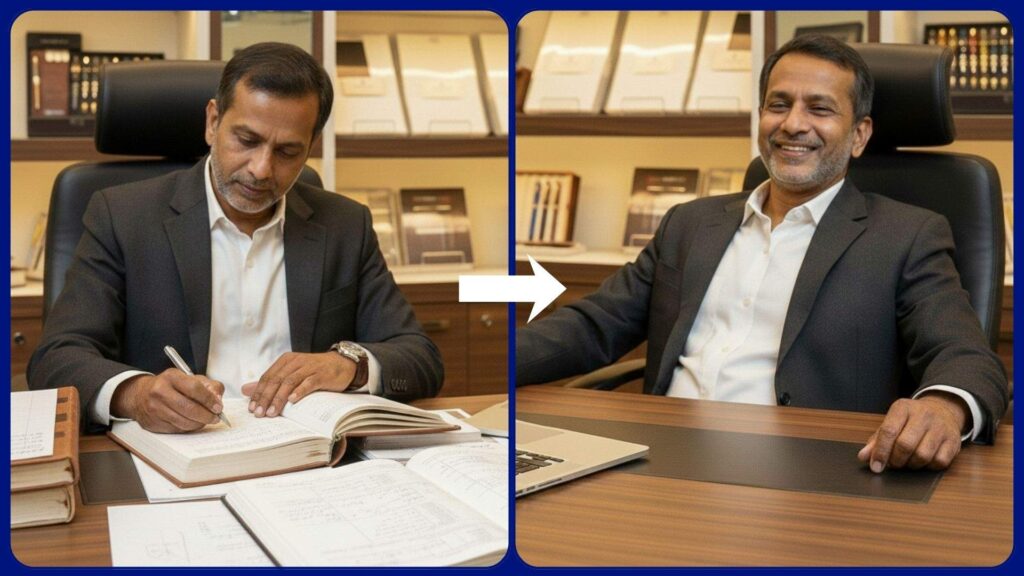
Rajesh’s Challenge: Scaling a Growing Retail Business
Rajesh Mehta, owner of Mehta Gifts & Stationery, started with a small local shop. Initially, customer details, sales, and feedback were recorded manually in notebooks. But as his business grew from 20 to 500 customers and 50 to 200 products, managing sales and loyalty data became overwhelming.
Rajesh needed a digital system that could simplify data management. That’s when he partnered with Rohan, a Business Central AL developer, to implement Microsoft Dynamics 365 Business Central.
“I was drowning in notebooks and sticky notes. I needed a system that could grow with my business.” -Rajesh Mehta
Understanding Codeunits: The Foundation of Rohan’s Solution
A codeunit is a container object in Microsoft Dynamics 365 Business Central that holds AL code. Think of it as a toolbox where you store reusable procedures and functions. Rohan used codeunits extensively to automate Rajesh’s business processes.
What is a Codeunit?
A codeunit is like a library of functions that can be called from anywhere in your application. It doesn’t have a user interface—it just contains pure logic and code that makes things happen behind the scenes.
Basic Structure
codeunit 50100 "My First Codeunit"
{
    procedure SayHello()
    begin
        Message('Hello World!');
    end;
}
How Rohan Used Tables, Table Extensions, and Codeunits
Step 1: Creating Custom Tables for Loyalty Points
Rajesh wanted to reward loyal customers with points. Rohan created a custom table to track this:
table 50100 "Customer Loyalty"
{
DataClassification = CustomerContent;
fields
{
    field(1; "Customer No."; Code[20])
    {
        Caption = 'Customer No.';
        TableRelation = Customer;
    }
    field(2; "Loyalty Points"; Integer)
    {
        Caption = 'Loyalty Points';
    }
    field(3; "Last Purchase Date"; Date)
    {
        Caption = 'Last Purchase Date';
    }
    field(4; "Total Purchases"; Decimal)
    {
        Caption = 'Total Purchases';
    }
}

keys
{
    key(PK; "Customer No.")
    {
        Clustered = true;
    }
}
}
Step 2: Extending Existing Tables
Rohan extended the standard Customer table to add custom fields without modifying the base table:
tableextension 50101 "Customer Extension" extends Customer
{
    fields
    {
        field(50100; "Preferred Payment Method"; Text[50])
        {
            Caption = 'Preferred Payment Method';
        }
        field(50101; "Birthday"; Date)
        {
            Caption = 'Birthday';
        }
        field(50102; "Referral Source"; Text[100])
        {
            Caption = 'Referral Source';
        }
    }
}
Step 3: Creating the Loyalty Management Codeunit (Beginner Level)
Rohan created a codeunit to handle loyalty point calculations:
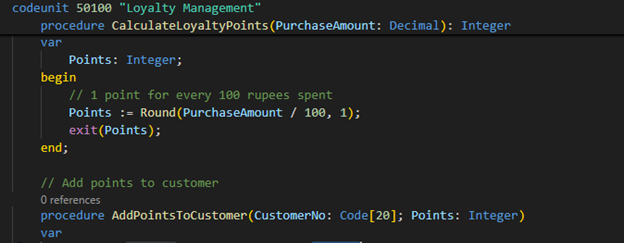
codeunit 50100 "Loyalty Management"
{
    // Simple loyalty points calculation
    procedure CalculateLoyaltyPoints(PurchaseAmount: Decimal): Integer
    var
        Points: Integer;
    begin
        // 1 point for every 100 rupees spent
        Points := Round(PurchaseAmount / 100, 1);
        exit(Points);
    end;

    // Add points to customer
    procedure AddPointsToCustomer(CustomerNo: Code[20]; Points: Integer)
    var
        CustomerLoyalty: Record "Customer Loyalty";
    begin
        if CustomerLoyalty.Get(CustomerNo) then begin
            CustomerLoyalty."Loyalty Points" += Points;
            CustomerLoyalty.Modify(true);
            Message('Added %1 points to customer %2', Points, CustomerNo);
        end else begin
            CustomerLoyalty.Init();
            CustomerLoyalty."Customer No." := CustomerNo;
            CustomerLoyalty."Loyalty Points" := Points;
            CustomerLoyalty.Insert(true);
            Message('Created loyalty account with %1 points for customer %2', Points, CustomerNo);
        end;
    end;
}
Intermediate Level: Automating Sales Processing
The Challenge
Rajesh wanted the system to automatically:
- Update loyalty points after each sale
- Send birthday reminders
- Track customer purchase history
Rohan’s Solution: Advanced Loyalty Codeunit
codeunit 50101 "Advanced Loyalty Management"
{
    procedure ProcessSaleForLoyalty(SalesHeader: Record "Sales Header")
    var
        SalesLine: Record "Sales Line";
        CustomerLoyalty: Record "Customer Loyalty";
        TotalAmount: Decimal;
        Points: Integer;
    begin
        // Calculate total sales amount
        SalesLine.SetRange("Document Type", SalesHeader."Document Type");
        SalesLine.SetRange("Document No.", SalesHeader."No.");

        if SalesLine.FindSet() then
            repeat
                TotalAmount += SalesLine."Line Amount";
            until SalesLine.Next() = 0;

        // Calculate and award points
        Points := CalculateLoyaltyPoints(TotalAmount);
        UpdateCustomerLoyalty(SalesHeader."Sell-to Customer No.", Points, TotalAmount);

        // Check for milestone rewards
        CheckMilestoneRewards(SalesHeader."Sell-to Customer No.");
    end;

    local procedure CalculateLoyaltyPoints(Amount: Decimal): Integer
    begin
        exit(Round(Amount / 100, 1));
    end;

    local procedure UpdateCustomerLoyalty(CustomerNo: Code[20]; Points: Integer; PurchaseAmount: Decimal)
    var
        CustomerLoyalty: Record "Customer Loyalty";
    begin
        if not CustomerLoyalty.Get(CustomerNo) then begin
            CustomerLoyalty.Init();
            CustomerLoyalty."Customer No." := CustomerNo;
            CustomerLoyalty.Insert(true);
        end;

        CustomerLoyalty."Loyalty Points" += Points;
        CustomerLoyalty."Last Purchase Date" := Today;
        CustomerLoyalty."Total Purchases" += PurchaseAmount;
        CustomerLoyalty.Modify(true);
    end;

    local procedure CheckMilestoneRewards(CustomerNo: Code[20])
    var
        CustomerLoyalty: Record "Customer Loyalty";
        BonusPoints: Integer;
    begin
        if CustomerLoyalty.Get(CustomerNo) then begin
            // Award bonus for milestones
            case CustomerLoyalty."Total Purchases" of
                10000..20000:
                    BonusPoints := 500;
                20001..50000:
                    BonusPoints := 1000;
                50001..999999:
                    BonusPoints := 2000;
            end;

            if BonusPoints > 0 then begin
                CustomerLoyalty."Loyalty Points" += BonusPoints;
                CustomerLoyalty.Modify(true);
                Message('Congratulations! Customer %1 earned %2 bonus points!', CustomerNo, BonusPoints);
            end;
        end;
    end;

    // Birthday reminder system
    procedure SendBirthdayReminders()
    var
        Customer: Record Customer;
        CustomerExt: Record Customer;
        ReminderCount: Integer;
    begin
        CustomerExt.SetRange(Birthday, Today);

        if CustomerExt.FindSet() then
            repeat
                // In real implementation, send email or SMS
                Message('Birthday reminder: Customer %1 - %2', CustomerExt."No.", CustomerExt.Name);
                ReminderCount += 1;
            until CustomerExt.Next() = 0;

        Message('Sent %1 birthday reminders today', ReminderCount);
    end;
}
Advanced Level: Using Triggers and Event Subscribers
The Real Power: Automation with Triggers
Rohan used event subscribers to automatically process loyalty points whenever a sale was posted, without Rajesh having to remember to do it manually.
codeunit 50102 "Sales Event Subscribers"
{
    // Automatically process loyalty when sales order is posted
    [EventSubscriber(ObjectType::Codeunit, Codeunit::"Sales-Post", 'OnAfterPostSalesDoc', '', false, false)]
    local procedure OnAfterPostSalesDoc(var SalesHeader: Record "Sales Header"; var GenJnlPostLine: Codeunit "Gen. Jnl.-Post Line"; SalesShptHdrNo: Code[20]; RetRcpHdrNo: Code[20]; SalesInvHdrNo: Code[20]; SalesCrMemoHdrNo: Code[20])
    var
        LoyaltyMgmt: Codeunit "Advanced Loyalty Management";
    begin
        // Automatically process loyalty points after sale is posted
        LoyaltyMgmt.ProcessSaleForLoyalty(SalesHeader);
    end;

    // Validate minimum order amount before posting
    [EventSubscriber(ObjectType::Codeunit, Codeunit::"Sales-Post", 'OnBeforePostSalesDoc', '', false, false)]
    local procedure OnBeforePostSalesDoc(var SalesHeader: Record "Sales Header")
    begin
        ValidateMinimumOrderAmount(SalesHeader);
        ValidateCustomerCreditLimit(SalesHeader);
    end;

    local procedure ValidateMinimumOrderAmount(SalesHeader: Record "Sales Header")
    var
        SalesLine: Record "Sales Line";
        TotalAmount: Decimal;
    begin
        SalesLine.SetRange("Document Type", SalesHeader."Document Type");
        SalesLine.SetRange("Document No.", SalesHeader."No.");

        if SalesLine.FindSet() then
            repeat
                TotalAmount += SalesLine."Line Amount";
            until SalesLine.Next() = 0;

        if TotalAmount < 100 then
            Error('Minimum order amount is ₹100. Current order: ₹%1', TotalAmount);
    end;

    local procedure ValidateCustomerCreditLimit(SalesHeader: Record "Sales Header")
    var
        Customer: Record Customer;
        CustomerLoyalty: Record "Customer Loyalty";
    begin
        if Customer.Get(SalesHeader."Sell-to Customer No.") then begin
            // VIP customers (high loyalty points) get extended credit
            if CustomerLoyalty.Get(Customer."No.") then begin
                if CustomerLoyalty."Loyalty Points" > 5000 then
                    Message('VIP Customer! Extended credit approved.')
                else if Customer."Balance (LCY)" > Customer."Credit Limit (LCY)" then
                    Error('Customer has exceeded credit limit');
            end;
        end;
    end;
}
The Results: Rajesh’s Digital Transformation
After Rohan implemented the system using tables, table extensions, and codeunits, Rajesh saw immediate results:
Business Impact
- 500+ customers digitally tracked with purchase history
- Automated loyalty program increased repeat purchases by 40%
- Birthday reminders boosted special occasion sales
- Credit limit tracking reduced bad debts
- Real-time inventory eliminated stockouts
- 3 hours daily saved on manual data entry
What Rajesh Says

Before Business Central, I was spending 3-4 hours every day just writing down sales and calculating loyalty points manually. Now, everything happens automatically. My customers love the loyalty program, and I can focus on growing my business instead of paperwork. Rohan’s solution was exactly what I needed!
Common Uses of Codeunits
1. Business Logic
- Calculations (discounts, taxes, totals, loyalty points)
- Validation rules
- Complex processing
2. Reusable Functions
- Code you need in multiple places
- Instead of copying code everywhere, write it once
3. Background Processing
- Batch jobs
- Data imports/exports
- Scheduled tasks (like birthday reminders)
4. Integration
- Connecting to external systems
- API calls – Web services
Best Practices Rohan Followed
- Single Responsibility — Each codeunit has one clear purpose
- Meaningful Names — “Loyalty Management” is clearer than “Codeunit1”
- Local vs Public — Use `local` for internal procedures
- Error Handling — Always validate inputs
- Documentation — Add comments for complex logic
- Event Subscribers — Automate instead of requiring manual steps
- Testing — Test with real data before going live
Summary: Your Journey from Beginner to Advanced
Beginner
- Codeunits store reusable code and logic
- Basic procedures perform simple tasks
- Call codeunits from pages or other code
Intermediate
- Handle complex business processes
- Work with multiple tables and records
- Implement business rules and validations
Advanced
- Use event subscribers for automation
- Integrate with external systems
- Create robust, scalable solutions
Just like Rohan transformed Rajesh’s business, you can use codeunits to build powerful solutions in Business Central. Start simple, practice regularly, and gradually tackle more complex scenarios.