
The Beginning of Rohan’s Business Central AL Programming Journey

Three months ago, Rohan was a developer comfortable in his C# world. Then his manager announced an important update: ‘We need someone to customize our Business Central system.’ Rohan volunteered, unaware that this decision would introduce him to AL (Application Language) — Microsoft’s programming language for Business Central — and change how he thought about business applications.
What is AL Programming in Business Central?
AL programming is a special language that communicates directly with Business Central.
It is designed to handle business data and automate real-world operations in ways that align with how organizations work. AL goes beyond code — it’s about building business solutions that impact day-to-day efficiency.
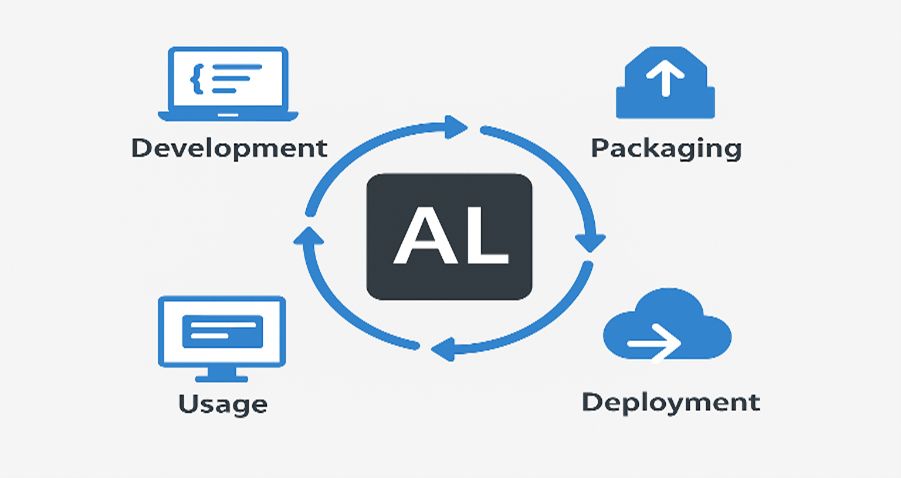
The Core Building Blocks of AL Programming
Once Rohan began learning AL, he discovered that every component had a clear purpose — just like a perfectly organized toolbox.
1. Tables — The Foundation of Business Data
Tables act as digital filing cabinets where business data is stored.
table 50100 "Custom Employee"
{
    fields
    {
        field(1; "Employee No."; Code[20])
        {
            Caption = 'Employee Number';
        }
        field(2; Name; Text[100])
        {
            Caption = 'Full Name';
        }
        field(3; Department; Text[50])
        {
            Caption = 'Department';
        }
    }
}
This simple table stores employee information – just like a digital employee card file.
2. Pages — The User Interface
Pages represent the face of the application — where users interact with data.
page 50100 "Employee Card"
{
    PageType = Card;
    SourceTable = "Custom Employee";
    layout
    {
        area(Content)
        {
            group("General Information")
            {
                field("Employee No."; "Employee No.")
                {
                    ApplicationArea = All;
                }
                field(Name; Name)
                {
                    ApplicationArea = All;
                }
                field(Department; Department)
                {
                    ApplicationArea = All;
                }
            }
        }
    }
}
This creates a user-friendly form where HR can enter employee details – no technical knowledge required.
3. Codeunits — The Smart Logic Handlers
Codeunits are like smart assistants that handle background logic and automation.
codeunit 50100 "Employee Management"
{
    procedure CreateWelcomeEmail(EmployeeNo: Code[20])
    var
        Employee: Record "Custom Employee";
    begin
        if Employee.Get(EmployeeNo) then begin
            // Send welcome email logic here
            Message('Welcome email sent to %1', Employee.Name);
        end;
    end;
}
This automatically sends welcome emails to new employees, saving HR hours of manual work.
4. Reports — Turning Data into Business Insights
Reports convert raw data into useful information for decision-making.
report 50100 "Department Summary"
{
    DefaultLayout = RDLC;
    dataset
    {
        dataitem(Employee; "Custom Employee")
        {
            column(Name; Name) { }
            column(Department; Department) { }
        }
    }
}
This creates a clean report showing all employees by department, perfect for management meetings.
Rohan’s First ‘Aha!’ Moment with AL Programming
Two weeks into his AL learning, Rohan created his first custom solution for the office — a digital check-in system to track daily attendance. He used a table to store check-ins, a page for employees to log attendance, a codeunit for automation, and a report for daily summaries. What once took two hours manually now took just two minutes. That’s when Rohan realized AL programming was not about syntax — it was about solving real problems.
Why AL Programming Stands Out for Business Central Developers
Coming from traditional programming, Rohan found AL Rohanelopment refreshing because it is business-focused, visual, and tightly integrated. Each line of code directly affects how the business operates, connects seamlessly with Business Central, and empowers users through intuitive design.
Common Beginner Mistakes (and How to Avoid Them)
- Overcomplicating simple solutions — simplicity improves usability.
- Ignoring business logic — always validate how users will interact.
- Skipping real-world testing — Developer assumptions often differ from user needs.
The Tools Rohan Relies On for AL Development
• Visual Studio Code — a flexible workspace for AL extensions.
• Docker — for setting up Business Central environments locally.
• Git — for version control and collaboration.
What’s Next on Rohan’s Business Central AL Programming Journey
After mastering the basics, Rohan began planning his next projects: a customer feedback tracking system, automated invoice approval workflows, and a mobile integration for his clients’ Business Central instances.
Next in series → How Business Central Tables and Table Extensions Transformed Rajesh’s Store