
The Challenge
Rajesh Mehta, owner of Mehta Gifts & Stationery in Mumbai, started his shop with a small collection of gifts and stationery. Initially, all product details, customer records, supplier data, and sales transactions were maintained manually in notebooks and Excel sheets.
As the business grew—from 50 to 500 products and 20 to 500 customers—manual tracking became overwhelming. Delayed reporting, data entry errors, and misplaced orders were common.
“I couldn’t keep track of everything with just paper. I was losing sales because I didn’t know what was in stock,” Rajesh admitted.
To solve this, Rajesh partnered with Rohan, a Business Central AL developer, to implement Microsoft Dynamics 365 Business Central. One key solution was using XMLports to automate importing and exporting data.
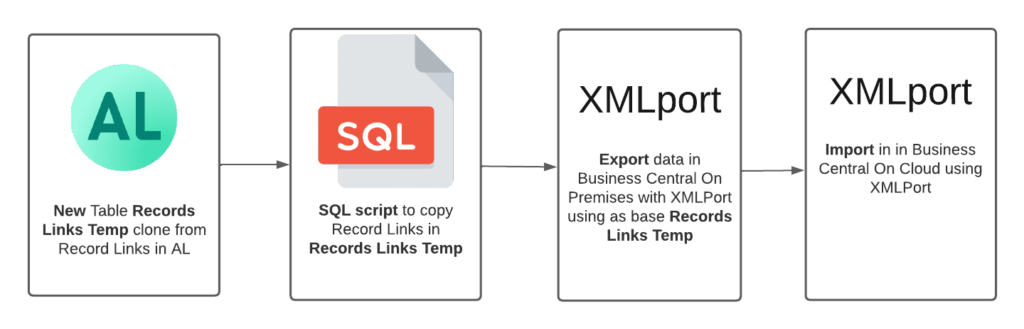
What Are XMLports?
XMLports are specialized objects in Business Central AL used for:
- Importing data from XML, CSV, or text files into Business Central tables
- Exporting data from Business Central into XML, CSV, or text files for reporting, sharing, or backup
- Data integration with suppliers, warehouses, and third-party systems
Benefits for Rajesh:
✓ Reduced manual data entry errors by 95%
✓ Faster product imports (500 products in 2 minutes vs. 8 hours manually)
✓ Automated daily sales exports
✓ Better data accuracy for reporting and analytics
Step 1: Importing Products from Suppliers (XML Format)
Real Scenario: Rajesh receives product catalogs from suppliers via email as XML files. Previously, he manually typed each product into Excel.
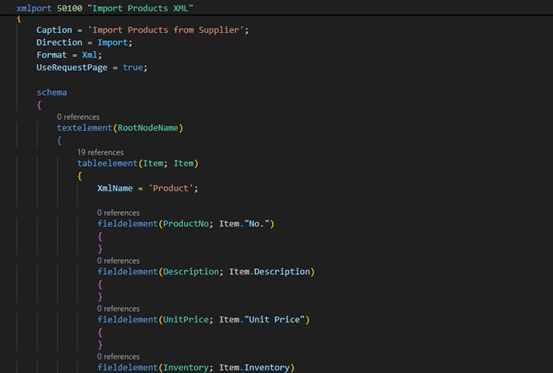
Complete AL Code for Import XMLport
xmlport 50100 "Import Products XML"
{
    Caption = 'Import Products from Supplier';
    Direction = Import;
    Format = Xml;
    UseRequestPage = true;
    schema
    {
        textelement(RootNodeName)
        {
            tableelement(Item; Item)
            {
                XmlName = 'Product';
                fieldelement(ProductNo; Item."No.")
                {
                }
                fieldelement(Description; Item.Description)
                {
                }
                fieldelement(UnitPrice; Item."Unit Price")
                {
                }
                fieldelement(Inventory; Item.Inventory)
                {
                }
                fieldelement(VendorNo; Item."Vendor No.")
                {
                }
                fieldelement(ItemCategory; Item."Item Category Code")
                {
                }
                trigger OnBeforeInsertRecord()
                var
                    ItemExists: Record Item;
                begin
                    // Check if item already exists
                    if ItemExists.Get(Item."No.") then begin
                        // Update existing item
                        ItemExists.Description := Item.Description;
                        ItemExists."Unit Price" := Item."Unit Price";
                        ItemExists.Inventory := Item.Inventory;
                        ItemExists.Modify(true);
                        currXMLport.Skip();
                    end else begin
                        // Validate before insert
                        if Item."No." = '' then
                            Error('Product No. cannot be empty.');
                        if Item."Unit Price" < 0 then
                            Error('Unit Price cannot be negative for product %1', Item."No.");
                        // Set default values
                        Item."Gen. Prod. Posting Group" := 'RETAIL';
                        Item."Inventory Posting Group" := 'RESALE';
                        Item.Type := Item.Type::Inventory;
                    end;
                end;
                trigger OnAfterInsertRecord()
                begin
                    Message('Successfully imported product: %1 - %2', Item."No.", Item.Description);
                end;
            }
        }
    }
    trigger OnPreXmlPort()
    begin
        Message('Starting product import...');
    end;
    trigger OnPostXmlPort()
    begin
        Message('Import completed successfully!');
    end;
}
Real Supplier XML File Example
<?xml version="1.0" encoding="UTF-8"?>
<Products>
    <Product>
        <ProductNo>GIFT-NB-A5-001</ProductNo>
        <Description>Premium Notebook A5 - Leather Cover</Description>
        <UnitPrice>250.00</UnitPrice>
        <Inventory>150</Inventory>
        <VendorNo>V00001</VendorNo>
        <ItemCategory>NOTEBOOK</ItemCategory>
    </Product>
    <Product>
        <ProductNo>PEN-GEL-BLU-002</ProductNo>
        <Description>Gel Pen Blue - Smooth Writing</Description>
        <UnitPrice>45.50</UnitPrice>
        <Inventory>500</Inventory>
        <VendorNo>V00001</VendorNo>
        <ItemCategory>PENS</ItemCategory>
    </Product>
    <Product>
        <ProductNo>GIFT-MUG-CER-003</ProductNo>
        <Description>Ceramic Coffee Mug - Personalized</Description>
        <UnitPrice>180.00</UnitPrice>
        <Inventory>75</Inventory>
        <VendorNo>V00002</VendorNo>
        <ItemCategory>GIFTS</ItemCategory>
    </Product>
    <Product>
        <ProductNo>STAT-CLIP-MET-004</ProductNo>
        <Description>Metal Binder Clips - 25mm (Box of 12)</Description>
        <UnitPrice>35.00</UnitPrice>
        <Inventory>200</Inventory>
        <VendorNo>V00003</VendorNo>
        <ItemCategory>STATIONERY</ItemCategory>
    </Product>
</Products>
Step 2: Importing Products from CSV Files
Real Scenario: Some suppliers send product lists as CSV files from their ERP systems.
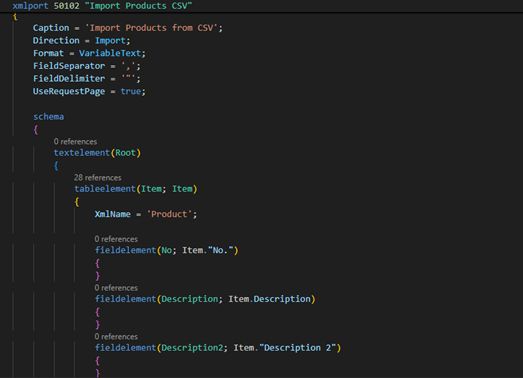
Complete AL Code for CSV Import
xmlport 50102 "Import Products CSV"
{
    Caption = 'Import Products from CSV';
    Direction = Import;
    Format = VariableText;
    FieldSeparator = ',';
    FieldDelimiter = '"';
    UseRequestPage = true;

    schema
    {
        textelement(Root)
        {
            tableelement(Item; Item)
            {
                XmlName = 'Product';

                fieldelement(No; Item."No.")
                {
                }
                fieldelement(Description; Item.Description)
                {
                }
                fieldelement(Description2; Item."Description 2")
                {
                }
                fieldelement(UnitPrice; Item."Unit Price")
                {
                }
                fieldelement(UnitCost; Item."Unit Cost")
                {
                }
                fieldelement(Inventory; Item.Inventory)
                {
                }
                fieldelement(VendorNo; Item."Vendor No.")
                {
                }
                fieldelement(ItemCategory; Item."Item Category Code")
                {
                }
                fieldelement(BaseUnitOfMeasure; Item."Base Unit of Measure")
                {
                }

                trigger OnBeforeInsertRecord()
                var
                    ItemExists: Record Item;
                    ProfitMargin: Decimal;
                begin
                    // Skip header row
                    if Item."No." = 'No' then
                        currXMLport.Skip();

                    // Validate and clean data
                    Item."No." := DelChr(Item."No.", '=', ' ');

                    if ItemExists.Get(Item."No.") then begin
                        // Update pricing only
                        ItemExists."Unit Price" := Item."Unit Price";
                        ItemExists."Unit Cost" := Item."Unit Cost";
                        ItemExists.Inventory := Item.Inventory;
                        ItemExists.Modify(true);
                        currXMLport.Skip();
                    end else begin
                        // Calculate profit margin and validate
                        if Item."Unit Cost" > 0 then begin
                            ProfitMargin := ((Item."Unit Price" - Item."Unit Cost") / Item."Unit Cost") * 100;
                            if ProfitMargin < 10 then
                                Error('Profit margin too low (%.2f%%) for product %1', ProfitMargin, Item."No.");
                        end;

                        // Set defaults
                        Item.Type := Item.Type::Inventory;
                        Item."Gen. Prod. Posting Group" := 'RETAIL';
                        Item."Inventory Posting Group" := 'RESALE';
                        Item."VAT Prod. Posting Group" := 'STANDARD';

                        if Item."Base Unit of Measure" = '' then
                            Item."Base Unit of Measure" := 'PCS';
                    end;
                end;
            }
        }
    }

    var
        ImportedCount: Integer;
        UpdatedCount: Integer;

    trigger OnPreXmlPort()
    begin
        ImportedCount := 0;
        UpdatedCount := 0;
    end;

    trigger OnPostXmlPort()
    begin
        Message('Import completed!\Imported: %1\Updated: %2', ImportedCount, UpdatedCount);
    end;
}
Real CSV File Example
No, Description, Description2, UnitPrice, UnitCost,Inventory,VendorNo,ItemCategory,BaseUnitOfMeasure
"GIFT-NB-A5-001","Premium Notebook A5","Leather Cover",250.00,150.00,150,"V00001","NOTEBOOK","PCS"
"PEN-GEL-BLU-002","Gel Pen Blue","Smooth Writing",45.50,22.00,500,"V00001","PENS","PCS"
"GIFT-MUG-CER-003","Ceramic Coffee Mug","Personalized",180.00,95.00,75,"V00002","GIFTS","PCS"
"STAT-CLIP-MET-004","Metal Binder Clips","25mm Box of 12",35.00,18.00,200,"V00003","STATIONERY","BOX"
"STAT-PAP-A4-005","A4 Copy Paper","White 80GSM Ream",320.00,210.00,100,"V00004","PAPER","REAM"
Step 3: Exporting Sales Data (XML Format)
Real Scenario: Rajesh needs to send daily sales reports to his accountant and monthly reports to suppliers showing which products sold well.
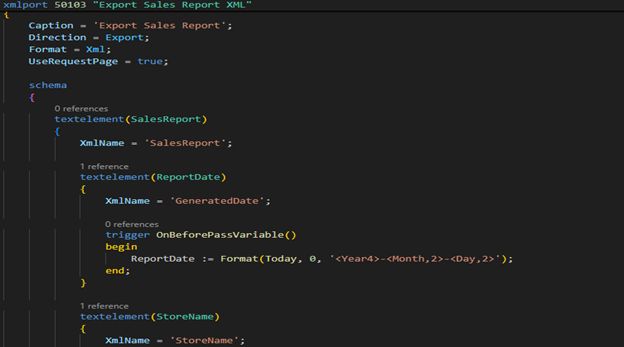
Complete AL Code for Sales Export
xmlport 50103 "Export Sales Report XML"
{
    Caption = 'Export Sales Report';
    Direction = Export;
    Format = Xml;
    UseRequestPage = true;

    schema
    {
        textelement(SalesReport)
        {
            XmlName = 'SalesReport';

            textelement(ReportDate)
            {
                XmlName = 'GeneratedDate';

                trigger OnBeforePassVariable()
                begin
                    ReportDate := Format(Today, 0, '<Year4>-<Month,2>-<Day,2>');
                end;
            }

            textelement(StoreName)
            {
                XmlName = 'StoreName';

                trigger OnBeforePassVariable()
                begin
                    StoreName := 'Mehta Gifts & Stationery';
                end;
            }

            tableelement(SalesLine; "Sales Line")
            {
                XmlName = 'Sale';
                RequestFilterFields = "Document Type", "Posting Date";

                fieldelement(DocumentNo; SalesLine."Document No.")
                {
                }
                fieldelement(LineNo; SalesLine."Line No.")
                {
                }
                fieldelement(DocumentType; SalesLine."Document Type")
                {
                }
                fieldelement(CustomerNo; SalesLine."Sell-to Customer No.")
                {
                }
                fieldelement(CustomerName; SalesLine."Sell-to Customer Name")
                {
                }
                fieldelement(ItemNo; SalesLine."No.")
                {
                }
                fieldelement(Description; SalesLine.Description)
                {
                }
                fieldelement(Quantity; SalesLine.Quantity)
                {
                }
                fieldelement(UnitPrice; SalesLine."Unit Price")
                {
                }
                fieldelement(LineAmount; SalesLine."Line Amount")
                {
                }
                fieldelement(LineDiscount; SalesLine."Line Discount Amount")
                {
                }
                fieldelement(PostingDate; SalesLine."Posting Date")
                {
                }

                trigger OnAfterGetRecord()
                var
                    TotalRevenue: Decimal;
                begin
                    TotalRevenue += SalesLine."Line Amount";
                end;
            }

            textelement(TotalSales)
            {
                XmlName = 'TotalRevenue';

                trigger OnBeforePassVariable()
                var
                    TempSalesLine: Record "Sales Line";
                    Total: Decimal;
                begin
                    TempSalesLine.CopyFilters(SalesLine);
                    if TempSalesLine.FindSet() then
                        repeat
                            Total += TempSalesLine."Line Amount";
                        until TempSalesLine.Next() = 0;
                    TotalSales := Format(Total, 0, '<Precision,2:2><Standard Format,0>');
                end;
            }
        }
    }

    trigger OnPreXmlPort()
    begin
        Message('Starting sales export...');
    end;

    trigger OnPostXmlPort()
    begin
        Message('Sales data exported successfully!');
    end;
}
Expected XML Output Example
<?xml version="1.0" encoding="UTF-8"?>
<SalesReport>
<GeneratedDate>2025-11-18</GeneratedDate>
<StoreName>Mehta Gifts & Stationery</StoreName>
<Sale>
<DocumentNo>SO-2025-001</DocumentNo>
<LineNo>10000</LineNo>
<DocumentType>Order</DocumentType>
<CustomerNo>C00125</CustomerNo>
<CustomerName>Mr. Anil Sharma</CustomerName>
<ItemNo>GIFT-NB-A5-001</ItemNo>
<Description>Premium Notebook A5 - Leather Cover</Description>
<Quantity>5</Quantity>
<UnitPrice>250.00</UnitPrice>
<LineAmount>1250.00</LineAmount>
<LineDiscount>0.00</LineDiscount>
<PostingDate>2025-11-18</PostingDate>
</Sale>
<Sale>
<DocumentNo>SO-2025-001</DocumentNo>
<LineNo>20000</LineNo>
<DocumentType>Order</DocumentType>
<CustomerNo>C00125</CustomerNo>
<CustomerName>Mr. Anil Sharma</CustomerName>
<ItemNo>PEN-GEL-BLU-002</ItemNo>
<Description>Gel Pen Blue - Smooth Writing</Description>
<Quantity>25</Quantity>
<UnitPrice>45.50</UnitPrice>
<LineAmount>1137.50</LineAmount>
<LineDiscount>0.00</LineDiscount>
<PostingDate>2025-11-18</PostingDate>
</Sale>
<Sale>
<DocumentNo>SO-2025-002</DocumentNo>
<LineNo>10000</LineNo>
<DocumentType>Order</DocumentType>
<CustomerNo>C00287</CustomerNo>
<CustomerName>Ms. Priya Kapoor</CustomerName>
<ItemNo>GIFT-MUG-CER-003</ItemNo>
<Description>Ceramic Coffee Mug - Personalized</Description>
<Quantity>3</Quantity>
<UnitPrice>180.00</UnitPrice>
<LineAmount>540.00</LineAmount>
<LineDiscount>27.00</LineDiscount>
<PostingDate>2025-11-18</PostingDate>
</Sale>
<TotalRevenue>2927.50</TotalRevenue>
</SalesReport>Step 4: Exporting Daily Sales Summary (CSV Format)
Real Scenario: Rajesh’s accountant prefers CSV files for easy import into Excel and accounting software.
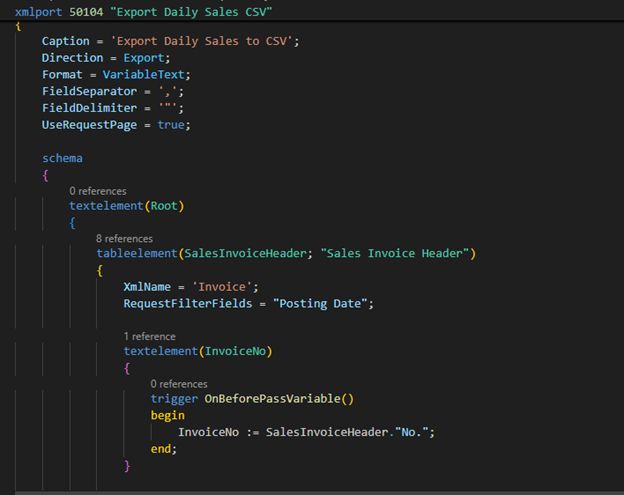
Complete AL Code for CSV Export
xmlport 50104 "Export Daily Sales CSV"
{
    Caption = 'Export Daily Sales to CSV';
    Direction = Export;
    Format = VariableText;
    FieldSeparator = ',';
    FieldDelimiter = '"';
    UseRequestPage = true;

    schema
    {
        textelement(Root)
        {
            tableelement(SalesInvoiceHeader; "Sales Invoice Header")
            {
                XmlName = 'Invoice';
                RequestFilterFields = "Posting Date";

                textelement(InvoiceNo)
                {
                    trigger OnBeforePassVariable()
                    begin
                        InvoiceNo := SalesInvoiceHeader."No.";
                    end;
                }

                textelement(PostingDate)
                {
                    trigger OnBeforePassVariable()
                    begin
                        PostingDate := Format(SalesInvoiceHeader."Posting Date");
                    end;
                }

                textelement(CustomerNo)
                {
                    trigger OnBeforePassVariable()
                    begin
                        CustomerNo := SalesInvoiceHeader."Sell-to Customer No.";
                    end;
                }

                textelement(CustomerName)
                {
                    trigger OnBeforePassVariable()
                    begin
                        CustomerName := SalesInvoiceHeader."Sell-to Customer Name";
                    end;
                }

                textelement(TotalAmount)
                {
                    trigger OnBeforePassVariable()
                    begin
                        SalesInvoiceHeader.CalcFields("Amount Including VAT");
                        TotalAmount := Format(SalesInvoiceHeader."Amount Including VAT", 0, '<Precision,2:2><Standard Format,0>');
                    end;
                }

                textelement(PaymentMethod)
                {
                    trigger OnBeforePassVariable()
                    begin
                        PaymentMethod := SalesInvoiceHeader."Payment Method Code";
                    end;
                }

                textelement(Salesperson)
                {
                    trigger OnBeforePassVariable()
                    begin
                        Salesperson := SalesInvoiceHeader."Salesperson Code";
                    end;
                }
            }
        }
    }

    var
        HeadersWritten: Boolean;

    trigger OnPreXmlPort()
    begin
        HeadersWritten := false;
    end;

    trigger OnPostXmlPort()
    begin
        Message('Daily sales exported to CSV successfully!');
    end;
}
Expected CSV Output Example
InvoiceNo,PostingDate,CustomerNo,CustomerName,TotalAmount,PaymentMethod,Salesperson
"SI-2025-0145","2025-11-18","C00125","Mr. Anil Sharma","2927.50","CASH","RS"
"SI-2025-0146","2025-11-18","C00287","Ms. Priya Kapoor","513.00","UPI","RS"
"SI-2025-0147","2025-11-18","C00412","Sharma Enterprises","8450.00","CREDIT","RS"
"SI-2025-0148","2025-11-18","C00089","Ms. Neha Gupta","675.00","CARD","RS"
"SI-2025-0149","2025-11-18","C00532","Mr. Rahul Verma","1280.00","UPI","RS"
Part 2: Advanced Features & Automation
Step 5: Automating XMLport Execution
Real Scenario: Rajesh wants product imports to run automatically every morning at 6 AM when supplier files arrive via FTP.
Codeunit for Automation
codeunit 50110 "Automated XMLport Manager"
{
    trigger OnRun()
    begin
    end;

    procedure RunProductImport(FilePath: Text)
    var
        ImportXML: XmlPort "Import Products XML";
        InStream: InStream;
        TempBlob: Codeunit "Temp Blob";
        FileManagement: Codeunit "File Management";
    begin
        // Load file into stream
        FileManagement.BLOBImportFromServerFile(TempBlob, FilePath);
        TempBlob.CreateInStream(InStream);

        // Run import
        ImportXML.SetSource(InStream);
        ImportXML.Import();

        Message('Automated product import completed successfully!');
    end;

    procedure RunDailySalesExport()
    var
        ExportCSV: XmlPort "Export Daily Sales CSV";
        SalesInvoiceHeader: Record "Sales Invoice Header";
        OutStream: OutStream;
        TempBlob: Codeunit "Temp Blob";
        FileManagement: Codeunit "File Management";
        FileName: Text;
    begin
        // Set filter for today's sales
        SalesInvoiceHeader.SetRange("Posting Date", Today);

        // Create output stream
        TempBlob.CreateOutStream(OutStream);

        // Run export
        ExportCSV.SetTableView(SalesInvoiceHeader);
        ExportCSV.SetDestination(OutStream);
        ExportCSV.Export();

        // Save to file
        FileName := 'DailySales_' + Format(Today, 0, '<Year4><Month,2><Day,2>') + '.csv';
        FileManagement.BLOBExportToServerFile(TempBlob, FileName);

        Message('Daily sales exported to: %1', FileName);
    end;

    procedure ScheduledImportExport()
    var
        ImportPath: Text;
    begin
        // Run morning product import
        ImportPath := 'C:\Business Central\Imports\Products\';
        RunProductImport(ImportPath + 'LatestProducts.xml');

        // Run evening sales export
        RunDailySalesExport();
    end;
}
Page for Manual Execution
page 50100 "XMLport Management"
{
    PageType = Card;
    ApplicationArea = All;
    UsageCategory = Tasks;
    Caption = 'XMLport Import/Export Manager';

    layout
    {
        area(Content)
        {
            group(ImportOptions)
            {
                Caption = 'Import Data';

                field(ImportFile; ImportFilePath)
                {
                    Caption = 'Import File Path';
                    ApplicationArea = All;

                    trigger OnAssistEdit()
                    var
                        FileManagement: Codeunit "File Management";
                    begin
                        ImportFilePath := FileManagement.OpenFileDialog('Select Import File', '', 'XML Files (*.xml)|*.xml|CSV Files (*.csv)|*.csv|All Files (*.*)|*.*');
                    end;
                }
            }

            group(ExportOptions)
            {
                Caption = 'Export Data';

                field(ExportFormat; ExportFormat)
                {
                    Caption = 'Export Format';
                    ApplicationArea = All;
                    OptionCaption = 'XML,CSV';
                }

                field(DateFilter; DateFilterText)
                {
                    Caption = 'Date Filter';
                    ApplicationArea = All;
                }
            }
        }
    }

    actions
    {
        area(Processing)
        {
            action(ImportProducts)
            {
                Caption = 'Import Products';
                ApplicationArea = All;
                Image = Import;
                Promoted = true;
                PromotedCategory = Process;

                trigger OnAction()
                var
                    XMLportMgr: Codeunit "Automated XMLport Manager";
                begin
                    if ImportFilePath = '' then
                        Error('Please select an import file first.');

                    XMLportMgr.RunProductImport(ImportFilePath);
                end;
            }

            action(ExportSales)
            {
                Caption = 'Export Sales';
                ApplicationArea = All;
                Image = Export;
                Promoted = true;
                PromotedCategory = Process;

                trigger OnAction()
                var
                    XMLportMgr: Codeunit "Automated XMLport Manager";
                begin
                    XMLportMgr.RunDailySalesExport();
                end;
            }

            action(ScheduleJobs)
            {
                Caption = 'Schedule Automated Jobs';
                ApplicationArea = All;
                Image = Job;
                Promoted = true;
                PromotedCategory = Process;

                trigger OnAction()
                begin
                    Page.Run(Page::"Job Queue Entries");
                end;
            }
        }
    }


    var
        ImportFilePath: Text;
        ExportFormat: Option XML,CSV;
        DateFilterText: Text;
}
Step 6: Error Handling & Logging
Real Scenario: When imports fail, Rajesh needs to know exactly which products had errors and why.
Enhanced Import with Error Logging
xmlport 50105 "Import Products with Logging"
{
    Caption = 'Import Products with Error Logging';
    Direction = Import;
    Format = Xml;
    UseRequestPage = false;

    schema
    {
        textelement(Products)
        {
            tableelement(Item; Item)
            {
                XmlName = 'Product';

                fieldelement(ProductNo; Item."No.")
                {
                }
                fieldelement(Description; Item.Description)
                {
                }
                fieldelement(UnitPrice; Item."Unit Price")
                {
                }
                fieldelement(Inventory; Item.Inventory)
                {
                }

                trigger OnBeforeInsertRecord()
                begin
                    if not ValidateProduct() then
                        currXMLport.Skip();
                end;

                trigger OnAfterInsertRecord()
                begin
                    SuccessCount += 1;
                    LogImport(Item."No.", 'Success', '');
                end;
            }
        }
    }

    var
        SuccessCount: Integer;
        ErrorCount: Integer;

    local procedure ValidateProduct(): Boolean
    var
        ErrorMsg: Text;
    begin
        // Validate Product Number
        if Item."No." = '' then begin
            ErrorMsg := 'Product number is empty';
            LogImport('', 'Error', ErrorMsg);
            ErrorCount += 1;
            exit(false);
        end;

        // Validate Price
        if Item."Unit Price" <= 0 then begin
            ErrorMsg := StrSubstNo('Invalid price: %1', Item."Unit Price");
            LogImport(Item."No.", 'Error', ErrorMsg);
            ErrorCount += 1;
            exit(false);
        end;

        // Validate Inventory
        if Item.Inventory < 0 then begin
            ErrorMsg := StrSubstNo('Negative inventory: %1', Item.Inventory);
            LogImport(Item."No.", 'Error', ErrorMsg);
            ErrorCount += 1;
            exit(false);
        end;

        exit(true);
    end;

    local procedure LogImport(ProductNo: Code[20]; Status: Text; ErrorMessage: Text)
    var
        ImportLog: Record "Import Log";
    begin
        ImportLog.Init();
        ImportLog."Entry No." := 0; // Auto-increment
        ImportLog."Import Date" := Today;
        ImportLog."Import Time" := Time;
        ImportLog."Product No." := ProductNo;
        ImportLog.Status := Status;
        ImportLog."Error Message" := ErrorMessage;
        ImportLog.Insert(true);
    end;

    trigger OnPostXmlPort()
    begin
        Message('Import completed!\Success: %1\Errors: %2', SuccessCount, ErrorCount);
        if ErrorCount > 0 then
            Message('Please check Import Log for error details.');
    end;
}
Step 7: Complete Project Structure
MehtaXMLports/
│
├── Src/
│   ├── XMLports/
│   │   ├── 50100_ImportProductsXML.al
│   │   ├── 50102_ImportProductsCSV.al
│   │   ├── 50103_ExportSalesXML.al
│   │   ├── 50104_ExportSalesCSV.al
│   │   └── 50105_ImportProductsWithLogging.al
│   │
│   ├── Codeunits/
│   │   └── 50110_AutomatedXMLportManager.al
│   │
│   ├── Pages/
│   │   ├── 50100_XMLportManagement.al
│   │   └── 50101_ImportLogList.al
│   │
│   ├── Tables/
│   │   └── 50100_ImportLog.al
│   │
│   └── Reports/
│       └── 50100_ImportErrorReport.al
│
├── app.json
├── launch.json
└── README.md
Results: Rajesh’s Business Transformation
Before XMLports:
- 8 hours/day on manual data entry
- 15-20 errors/week in product data
- Reports took 2-3 days to prepare
- Limited supplier integration
After XMLports:
- 15 minutes/day for data management
- Less than 1 error/month
- Real-time reports available instantly
- Automated daily supplier synchronization
Business Impact:
- 35% revenue growth in 6 months
- 500 → 1,200 products in catalog
- Hired 3 new staff (saved time reinvested)
- ₹2.5 lakhs saved/year in data entry costs
Key Takeaways
- Start Simple: Begin with one import XMLports, test thoroughly, then expand
- Validate Everything: Never trust external data without validation
- Log Errors: Detailed error logs save hours of troubleshooting
- Automate Gradually: Manual first, then scheduled automation
- Test in Sandbox: Always test with real data in a safe environment
Rajesh’s Advice

“XMLports transformed my business from chaos to control. I went from drowning in paperwork to actually growing my store. The initial learning curve was worth it—automation gave me my life back!”
Next Steps
- Explore Request Pages for user-friendly import/export
- Implement Data Transformation logic for complex mappings
- Add Email Notifications when imports complete
- Create Dashboard showing import/export statistics
- Integrate with Power BI for advanced analytics
Ready to digitize your business like Rajesh? Start with a simple import XMLports today!